Manage & Collect
How To Respond To Positive & Negative Reviews (With Examples)
August 7, 2020
•
3 min read

Manage & Collect
Why You Need to Collect Company Reviews and Where to Collect Them.
August 18, 2021
•
7 min read




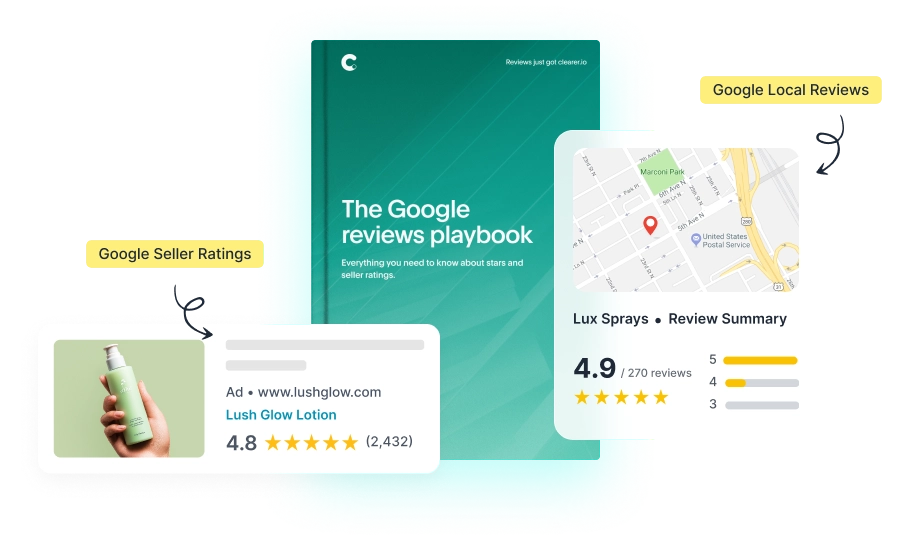
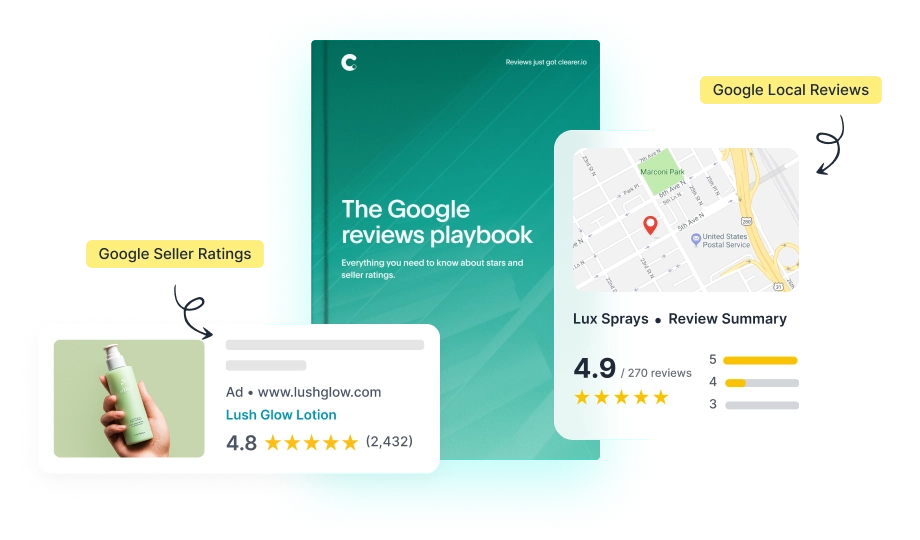





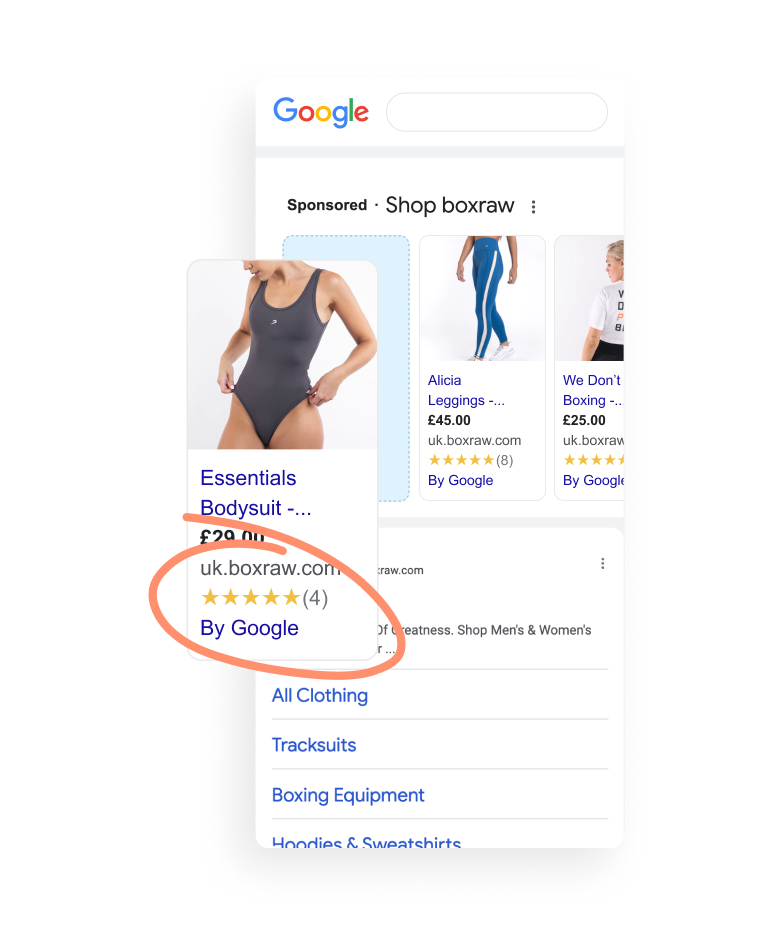
Google Seller Ratings are one of the most valuable trust signals a Shopify merchant can have - they boost visibility in search, lower costs, and give customers confidence in your brand before they even hit your store. With Google hosting around 73% of all online reviews, it’s where most shoppers form their first impression - making those stars more powerful than ever.
But how you can earn them has changed.
Shopify’s checkout no longer supports Google’s built-in review collection program, which means you can’t gather the verified feedback needed for Seller Ratings through Google directly.
The good news? There’s a simple alternative that gets you those stars without touching a line of code - or relying on complex workarounds.
Google Seller Ratings are more than just stars. They’re a proven way to build trust and stand out in a crowded market. They’re powered by verified company reviews (called store reviews on Shopify), showing shoppers your business is genuine and reliable.
With 95% of customers reading reviews before buying, those stars give instant reassurance right in search results.
And they’re particularly important if you run paid Google ads for your Shopify store:
1. Increase click-through rates: Ads with Seller Ratings can boost CTR by up to 10%.
Shoppers are naturally drawn to brands with trusted feedback - meaning more eyes on your products and more visits to your store.
2. Lower cost-per-click (CPC): Seller Ratings help improve your Quality Score - Google’s measure of how relevant and trustworthy your ads are. Ads with visible ratings
typically see around a 2% average lift in click-through rate, and in some cases as high as 17%, helping drive stronger performance and lower CPC.
A higher score means lower costs per click and more traffic for the same budget.
That’s because Google’s Quality Score rewards relevance and trust signals - including review extensions like Seller Ratings - so strong performance in reviews directly supports more efficient ad spend.
3. Boost campaign performance: Seller Ratings signal credibility, encouraging more qualified shoppers to click and convert.
When your ads stand out for the right reasons, every campaign delivers a stronger return.
4. Expand visibility: your stars appear across Google’s surfaces - from Search and Shopping ads to free product listings - giving your store wider reach.
Your reputation works for you in every corner of Google, not just in paid ads.
To earn a Google Seller Rating, your store needs enough verified company reviews in a single country for Google to calculate a score, with an average rating of 3.5 stars or higher.
Those reviews must come from a trusted, Google-approved source.
For many Shopify merchants, that used to be Google’s own review program - but since Shopify’s checkout updates removed support for Google Customer Reviews at checkout, that route is no longer available.
Shopify previously supported Google’s review collection through a simple post-purchase pop-up - part of the free Google Customer Reviews program. Those ratings fed directly into a store’s Seller Rating.
But that changed when Shopify rolled our Checkout Extensibility, asking merchants to upgrade their Thank you and Order status pages:
These updates modernized checkout security and performance, but they also stopped Google’s review prompt from working as intended.
Without that prompt, merchants can’t collect the verified feedback Google requires for Seller Ratings through its own program.
To manage your Seller Rating, you need a new way to collect store reviews. One that integrates cleanly with Shopify’s checkout and still meets Google’s requirements.
The simplest and most reliable way to get Google Seller Ratings and display your Google stars on Shopify is to use a Google approved review aggregator, like REVIEWS.io.
Shopify’s checkout changes might have closed the door on Google’s native review collection, but with REVIEWS.io you can still collect verified store reviews that count towards your Seller Ratings. That verification matters - with 75% of consumers worried about fake or manipulated reviews, only trusted sources count.
Here’s how it works:
It’s a complete, compliant replacement for the old Google Reviews pop-up, built specifically for Shopify’s modern checkout.
Some merchants try to replicate Google’s old setup with custom code or third-party apps. These methods usually involve:
These fixes often break when Shopify or Google update their systems, creating ongoing maintenance, compliance risks, and unreliable results.
Ultimately, they create more problems than they solve - wasting time on technical workarounds instead of driving sales and visibility.
With REVIEWS.io, you get an easier, faster path to Seller Ratings - fully compatible with Shopify, officially licensed by Google, and completely hands-free once set up.
To see how this works in practice, here’s how one Shopify merchant used REVIEWS.io to simplify review collection and qualify for Google Seller Ratings:
Irish lifestyle retailer Faerly runs a Shopify store focused on sustainable products and ethical brands. Like many growing merchants, they wanted a smarter way to collect verified reviews - one that supported both their Google visibility and their on-site experience.
By switching to REVIEWS.io, Faerly combined company and product review collection in a single system, qualifying for Google Seller Ratings through a verified data feed. The results speak for themselves:
“It’s improved our quality score and so improves our costs and visibility - and importantly it’s greatly improved our ad click-throughs. Reviews are a great leveller and allow us to effectively compete against much larger brands.” - James Byrne, Founder, Faerly
Once your review collection is set up, a few smart habits will help you qualify faster, maintain eligibility, and make the most of your Seller Ratings across Google Search and Shopping.
Make the most of your existing customer base and use REVIEWS.io Review Booster to send invitations retrospectively.
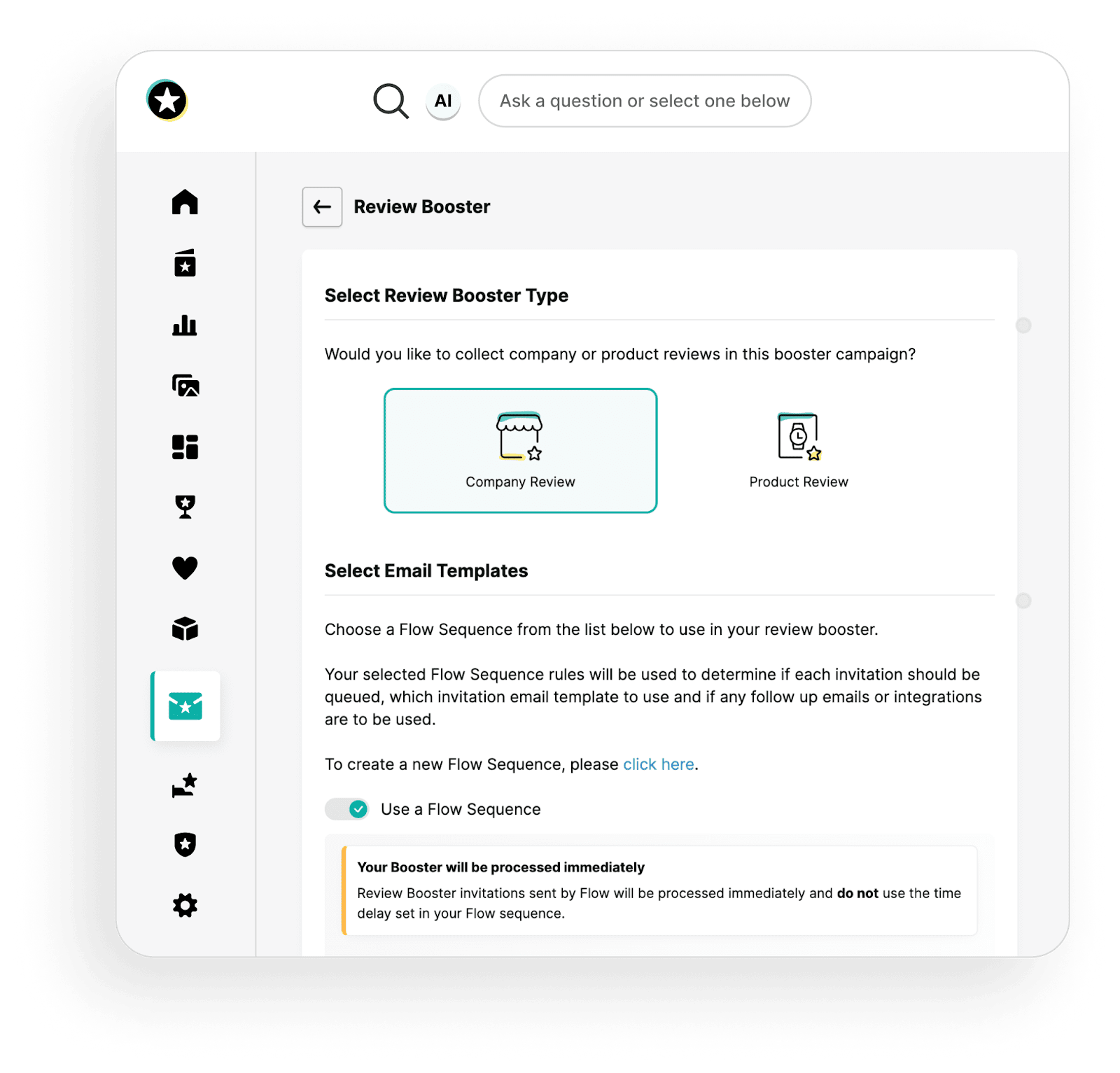
This helps you reach Google Seller Rating requirements faster and ensures your historic orders contribute to your verified review total.
Make sure every purchase triggers an invite automatically. Consistent review collection looks more authentic to customers and keeps your Seller Ratings up to date.
Recency is one of the key things consumers look for in reviews, so an automated flow ensures you’re always generating fresh feedback.
Replying to reviews - especially negative ones - shows transparency and helps build long-term trust.
Addressing issues quickly can turn a poor review into a positive experience, helping to protect your overall Seller Rating score and prevent individual complaints from dragging your average down.
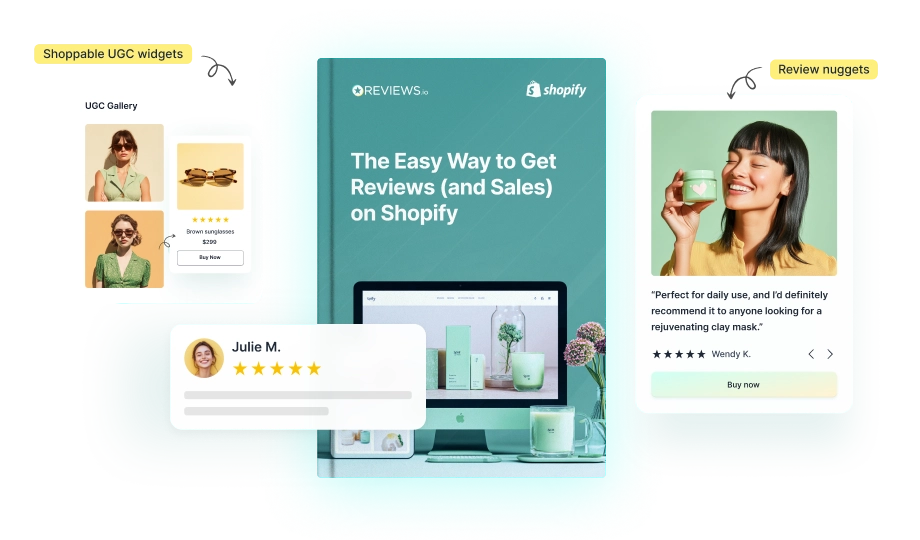
Company reviews power your Seller Ratings, but when you collect product reviews on Shopify you build trust where it matters most - at the point of purchase.
With REVIEWS.io, you can send both requests in one flow, making it easy to grow your Google presence and strengthen on-site conversion at the same time.
Monitor your average score in the REVIEWS.io dashboard to make sure you stay above Google’s minimum requirement for Seller Ratings.
You can also check the status of your store rating at any time - just drop your homepage URL into the following link:
https://www.google.com/shopping/ratings/account/lookup?q={yourwebsite}
Shopify’s checkout changes may have ended support for Google’s native review program, but Seller Ratings remain one of the most powerful ways to boost visibility, ad performance, and customer confidence.
With REVIEWS.io, you can collect verified company reviews that count towards your Seller Ratings - and product reviews that help your Shopify reviews appear in search - all from one simple platform.
It’s the easiest way to replace what Shopify removed and ensure your stars stay live across Google Search and Shopping.
Ready to earn your stars?
Install REVIEWS.io on Shopify and start collecting verified reviews that build trust and drive growth.
Want to strengthen your Shopify review strategy even further? Start with choosing the best product reviews app for your store - then learn how to collect the high-quality, verified reviews that power trust on both Shopify.
You can’t directly add Google Customer Reviews to Shopify anymore. Shopify’s new checkout no longer supports the code needed for Google’s review pop-up. Instead, use a Google Licensed Review Partner like REVIEWS.io to collect verified feedback that counts toward Seller Ratings.
Collect verified company reviews through a trusted source like REVIEWS.io. Once your store achieves an average rating of 3.5 stars or higher in a given country, Google will showcase your Seller Rating.
Seller Ratings help you rank higher by improving trust and click-through rates, which Google rewards with better visibility. You can also optimize your store by using clear titles and descriptions, adding structured data, and publishing fresh, relevant content that aligns with what shoppers are searching for.
You can check your status by replacing {yourwebsite} with your homepage URL in this link: https://www.google.com/shopping/ratings/account/lookup?q={yourwebsite}. If your store qualifies, you’ll see your average rating and review count displayed.